Responsive Images
MageObsidian ships an image helper that renders a Core-Web-Vitals-friendly <img> (or <picture>). It sets width/height to reserve layout space — eliminating CLS — and exposes loading/fetchpriority so you can defer below-the-fold images and prioritize the LCP image.
It works with any image URL, or a Vendor_Module::path asset id — for assets it resolves the URL and, when you omit the dimensions, auto-detects them from the source file so the markup is always CLS-safe without hand-measuring.
Scope: this is the render layer. Catalog image resizing stays with Magento (driven by
view.xml); the helper wraps the resulting URL with the right attributes. It does not re-encode catalog images.
Usage
In Twig, use the image function (see Twig helpers):
In phtml, reach the Image ViewModel through a layout argument:
Options
| Option | Default | Purpose |
|---|---|---|
alt |
'' |
Alternative text (always emitted for valid HTML). |
width / height |
auto for assets | Reserve layout space — the CLS fix. |
loading |
lazy (eager when fetchpriority: 'high') |
Defer off-screen images. |
decoding |
async |
Off-thread image decode. |
fetchpriority |
— | high for the LCP image; auto-switches loading to eager. |
class, sizes, srcset |
— | Standard <img> attributes. |
sources |
— | A list of <source>s — switches output to <picture>. |
attributes |
— | Any extra attributes (id, data-*, …). |
<picture> with modern formats
Pass sources to emit a <picture> with AVIF/WebP fallbacks:
Generating AVIF/WebP at build time is not part of this helper yet — provide the alternate sources yourself (or via your own pipeline). The helper assembles the
<picture>; it never invents formats.
Why this helps Core Web Vitals
- CLS:
width/height(or the auto-detected intrinsic size) let the browser reserve the box before the image loads — no layout shift. - LCP: mark the hero image
fetchpriority: 'high'; the helper keeps iteagerso it is never lazy-loaded. - Everything else stays cheap: images default to
loading="lazy"anddecoding="async".
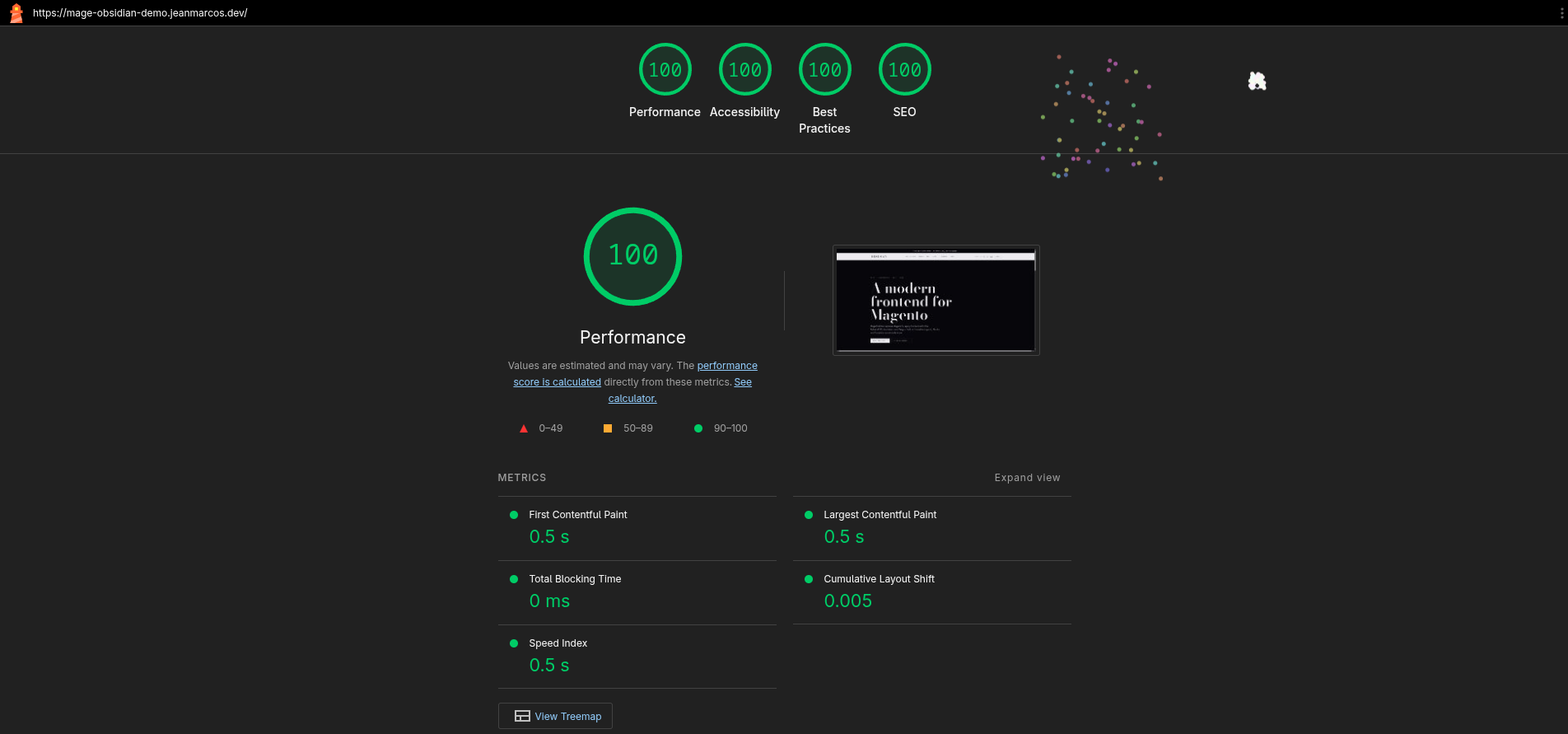
The default theme on the live demo scores a perfect 100 across the board:
Next Steps
- Twig Helpers — the
imagefunction and the rest of the bridge. - Structured Data — another SEO-focused runtime layer.